FS#58679 - [pgadmin4] A folder named /home/mch/.cache/kioexec/krun/2785_0/ already exists.
Attached to Project:
Community Packages
Opened by Christian Martin (mch) - Monday, 21 May 2018, 08:13 GMT
Last edited by Levente Polyak (anthraxx) - Monday, 01 October 2018, 14:45 GMT
Opened by Christian Martin (mch) - Monday, 21 May 2018, 08:13 GMT
Last edited by Levente Polyak (anthraxx) - Monday, 01 October 2018, 14:45 GMT
|
Details
Description:
When I try to start pgadmin4 I always get a message box with the following error: "A folder named /home/mch/.cache/kioexec/krun/2785_0/ already exists.". I have already tried to delete the "/home/mch/.cache" and "/home/mch/.pgadmin" directory. Additional info: [mch@arch ~]$ pgadmin4 Python path: "/usr/lib/pgadmin4/venv/lib/python3.6/site-packages:/usr/lib/python3.6/site-packages:/usr/lib/python3.6" Python Home: "/usr/lib/pgadmin4/venv" Webapp path: "/usr/lib/pgadmin4/web/pgAdmin4.py" NOTE: Configuring authentication for DESKTOP mode. pgAdmin 4 - Application Initialisation ====================================== * package version(s) [mch@arch ~]$ pacman -Qi pgadmin4 Name : pgadmin4 Version : 3.0-2 * config and/or log files etc. Steps to reproduce: I have installed pgadmin4 and tried to start pgadmin4. 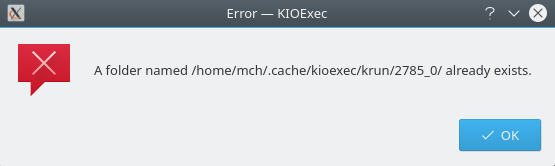 KIOExec.png
(12.1 KiB)
KIOExec.png
(12.1 KiB)
|

This task depends upon
Closed by Levente Polyak (anthraxx)
Monday, 01 October 2018, 14:45 GMT
Reason for closing: Upstream
Additional comments about closing: upstream issue that can't be solved by packaging
Monday, 01 October 2018, 14:45 GMT
Reason for closing: Upstream
Additional comments about closing: upstream issue that can't be solved by packaging
$ sudo su
# pgadmin4-server
Starting pgAdmin 4. Please navigate to http://127.0.0.1:5050 in your browser.
But why do I need to have root privileges to get pgadmin4 working?
If i start pgadmin4 by:
$ pgadmin4
The web browser (in my case firefox) is opened with the following url "http://127.0.0.1:40587/browser/" and I get the following error in the browser window:
Unauthorized
The server could not verify that you are authorized to access the URL requested. You either supplied the wrong credentials (e.g. a bad password), or your browser doesn't understand how to supply the credentials required.
I got rid of the original error message. Probably I did not delete the mentioned directories properly or there was still a pgadmin4 process running in the background.
under no cirmunstances start the normal pgadmin4 as root
I went to KDE->System Settings->Personalization->Applications->Default Applications->Web Browser->In the following application and chose "Firefox" as the default app. This way I eliminated the KIO intermediate step and the cookies weren't lost between apps.