FS#53408 - [eclipse] 4.6.2 unusable tiny font size on HiDPI
Attached to Project:
Community Packages
Opened by Richard (archer666) - Wednesday, 22 March 2017, 09:34 GMT
Last edited by Antonio Rojas (arojas) - Friday, 01 May 2020, 18:43 GMT
Opened by Richard (archer666) - Wednesday, 22 March 2017, 09:34 GMT
Last edited by Antonio Rojas (arojas) - Friday, 01 May 2020, 18:43 GMT
|
Details
Description:
I have a 4k 15.6" screen (282 PPI). All programs (xfce4, chrome, terminals etc.) show correct/bearable font sizes. I.e "they do what I want". I installed eclipse and am being greeted by what seem to by tiny ant excrements - but it also could be a text in some small font size. Please see the attached screenshot. The window title and the text you see in the background is normal. The small font is about 6-8 pixels high -> ~ 0.6mm 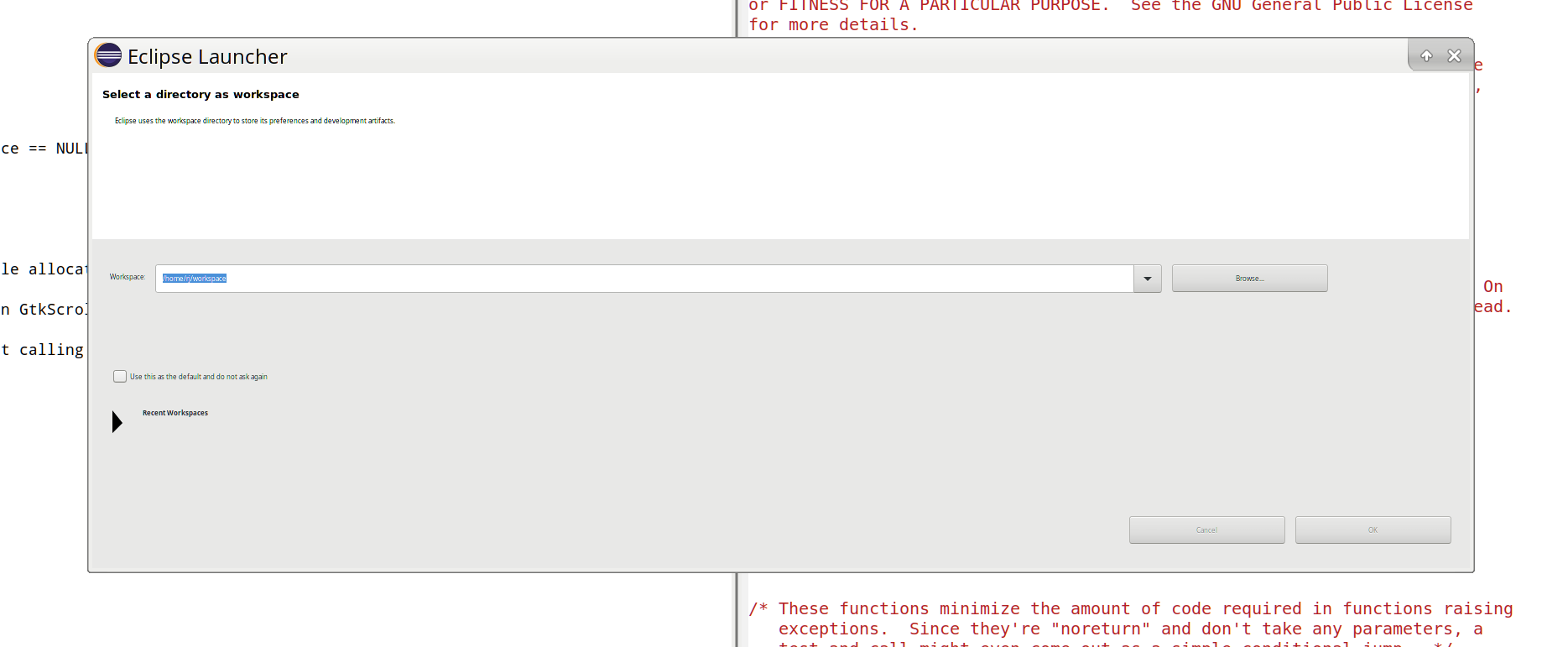 eclipse_tiny2.png
(62.4 KiB)
eclipse_tiny2.png
(62.4 KiB)
|

This task depends upon
Closed by Antonio Rojas (arojas)
Friday, 01 May 2020, 18:43 GMT
Reason for closing: Won't fix
Additional comments about closing: eclipse has been dropped to AUR due to lack of maintainer
Friday, 01 May 2020, 18:43 GMT
Reason for closing: Won't fix
Additional comments about closing: eclipse has been dropped to AUR due to lack of maintainer
 Comment by kkl2401 (kkl2401) -
Wednesday, 22 March 2017, 18:53 GMT
Comment by kkl2401 (kkl2401) -
Wednesday, 22 March 2017, 18:53 GMT
Do other GTK3 applications show bearable fonts or are they broken
as well (I'm not sure if anything you mentioned is GTK3-based)?
Does it look better if you run Eclipse via SWT_GTK3=0
/usr/bin/eclipse (i.e. make it use GTK2 instead)?
Comment by Richard (archer666) -
Monday, 27 March 2017, 12:54 GMT
Yes, SWT_GTK3=0 /usr/bin/eclipse makes everything look fine. The
gtk3-demo looks flawless. So I believe it is eclipse + GTK3 that
has some issues.