FS#43418 - [java-runtime-common] Can't setup Oracle JDK8 for Android studio
Attached to Project:
Arch Linux
Opened by Kai Hendry (hendry) - Monday, 12 January 2015, 06:52 GMT
Last edited by Jan de Groot (JGC) - Monday, 12 January 2015, 11:27 GMT
Opened by Kai Hendry (hendry) - Monday, 12 January 2015, 06:52 GMT
Last edited by Jan de Groot (JGC) - Monday, 12 January 2015, 11:27 GMT
|
Details
Description:
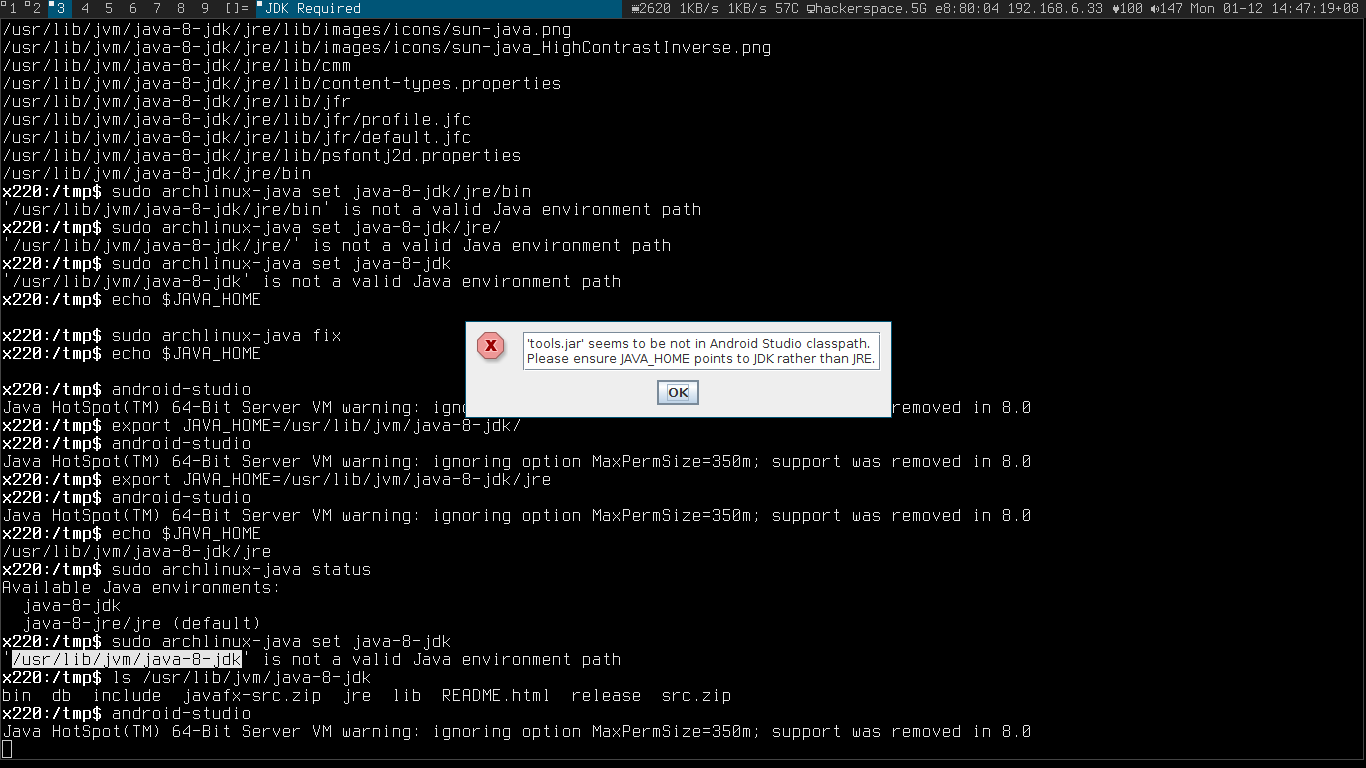
This might be a https://aur.archlinux.org/packages/android-studio/ bug. Additional info: * 2.2 x220:/tmp$ sudo archlinux-java status Available Java environments: java-8-jdk java-8-jre/jre (default) Steps to reproduce: I can't seem to set the jdk, even though the path is there. This IIUC prevents Android Studio from starting. http://s.natalian.org/2015-01-12/jdk.png |

This task depends upon
x220:/tmp$ sudo archlinux-java set java-8-jdk
'/usr/lib/jvm/java-8-jdk' is not a valid Java environment path
x220:/tmp$ ls /usr/lib/jvm/java-8-jdk
bin db include javafx-src.zip jre lib README.html release src.zip
Why can't I choose the Oracle `jdk`?