Arch Linux

Please read this before reporting a bug:
https://wiki.archlinux.org/title/Bug_reporting_guidelines

Do NOT report bugs when a package is just outdated, or it is in the AUR. Use the 'flag out of date' link on the package page, or the Mailing List.

REPEAT: Do NOT report bugs for outdated packages!
Tasklist

FS#3624 - Openoffice windows with no text

Attached to Project: Arch Linux
Opened by Berger (Berger) - Thursday, 15 December 2005, 14:29 GMT
Last edited by Dale Blount (dale) - Thursday, 15 December 2005, 14:30 GMT
Task Type Bug Report
Category Packages: Extra
Status Closed
Assigned To Tobias Powalowski (tpowa)
Architecture not specified
Severity Medium
Priority Normal
Reported Version 0.7 Wombat
Due in Version Undecided
Due Date Undecided
Percent Complete 100%
Votes 0
Private No

Details

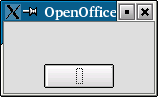
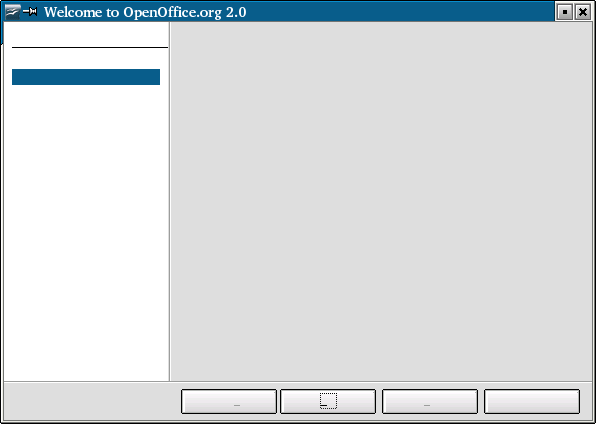
After upgrading to oo2.0 (de), OO shows only a window with no text (see pictures). I deleted the preferences, but this ends in another window with no text. Un- and reinstall and the the switch to the english version of OO doesn't help. No error or warning messages from OO.
This task depends upon

Closed by  Tobias Powalowski (tpowa)
Friday, 23 December 2005, 13:21 GMT
Reason for closing:  Fixed
Comment by Tobias Powalowski (tpowa) - Thursday, 15 December 2005, 17:26 GMT
hi perhaps it's a permission problem,
could you try to chown root -R /opt/openoffice
chgrp root -R /opt/openoffice
Comment by Berger (Berger) - Thursday, 15 December 2005, 19:36 GMT
Yes, you are right, starting oo as root works, but chown doesn't fix it.
Comment by Tobias Powalowski (tpowa) - Sunday, 18 December 2005, 08:59 GMT
check the permissions of your .openoffice dirs nio your home too, some ppl seem to have problems with that too.
Comment by Tobias Powalowski (tpowa) - Thursday, 22 December 2005, 06:42 GMT
is this fixed in 2.0.1?
Comment by Berger (Berger) - Friday, 23 December 2005, 08:36 GMT
i've checked the permissions. it's not fixed in 2.0.1. i've added a new snapshot, which shows the writer application after blind clicking through the start dialog.
Comment by Tobias Powalowski (tpowa) - Friday, 23 December 2005, 08:43 GMT
how about trying this:
pacman -R openoffice-base openoffice-de
then remove /opt/openoffice
then remove everything of openoffice in your homes, .openoffice2.org
you last install dir of 1.1.5
then!
start reinstalling itand hopefully enjoy OO 2.0.1
on my systems it runs without any problem so it should run on yours too.
i'm on irc atm you can come to irc and we can solve the problem.
greetings
tpowa
Comment by Berger (Berger) - Friday, 23 December 2005, 13:13 GMT
After changing my font-settings "General:" from newspaper to verdana everythings was fine :-).

Loading...